When an application becomes slow, the diagnosis is almost automatic:
"The API is too slow."
In most cases, this simply isn't true.
On real Angular applications — back-office tools, business applications, dashboards, SaaS platforms — the API often responds in tens or hundreds of milliseconds. Yet, the interface remains slow, unresponsive, sometimes unstable.
The real cause lies elsewhere. It almost always resides in Angular's change detection engine.
The Hidden Cost: Default Change Detection
By default, Angular uses a strategy called Default Change Detection.
Its principle is simple, but costly:
- •every user event triggers a cycle
- •Angular traverses the entire component tree
- •every binding is re-evaluated
- •every component is checked, even if it hasn't changed
These events include:
On a simple application, this behavior is invisible. On a real business application, it quickly becomes problematic.
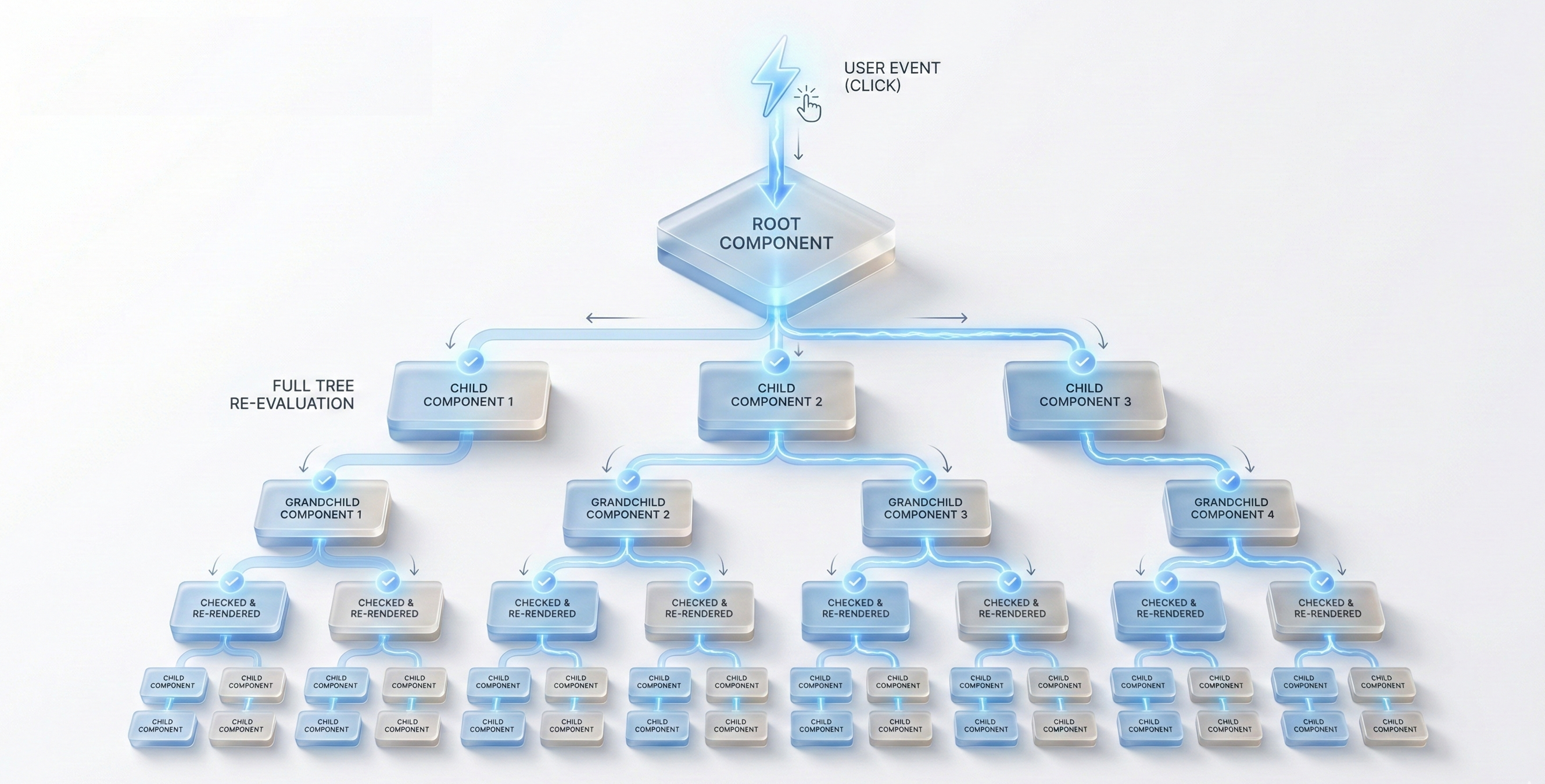
Complete component tree → one event → entire tree is checked (Global Change Detection)
Why This Model Doesn't Scale
The problem isn't the amount of data. It's not the frequency of API calls either.
The problem is the number of unnecessary recalculations on the UI side.
Typical symptoms:
- ⚠latency after a simple action
- ⚠screens that "flicker"
- ⚠high CPU without significant network traffic
- ⚠performance degrading over time
In these situations:
- →data is already loaded
- →the API has already responded
- →but Angular continues to recalculate components that haven't changed
In other words: the bottleneck isn't network, it's computational.
The Most Common Team Misconception
Many teams try to optimize after the fact:
- •API caching
- •debouncing everywhere
- •aggressive pagination
- •systematic virtual scrolling
These techniques can help, but they treat the symptoms, not the cause.
The root cause is almost always the same:
- →a global change detection model
- →overly coupled components
- →implicit data flows
- →uncontrolled state mutations
Angular isn't slow. It becomes slow when you let the framework decide everything.
Modern Angular: A Paradigm Shift
Since Angular 14+, the framework finally provides the tools to change this model:
These tools aren't minor optimizations. They change how you design an Angular application.
We move from:
"Angular decides when the UI changes"
to:
"I precisely define when and why the UI changes"
1️⃣ Standalone Components: Simplifying the Tree
Standalone Components remove the dependency on NgModules.
Concretely:
- ✓a component explicitly declares its dependencies
- ✓the tree is more readable
- ✓loading is more predictable
- ✓coupling is reduced
This doesn't directly improve performance, but:
- •it reduces complexity
- •it facilitates isolation
- •it prepares a more localized model
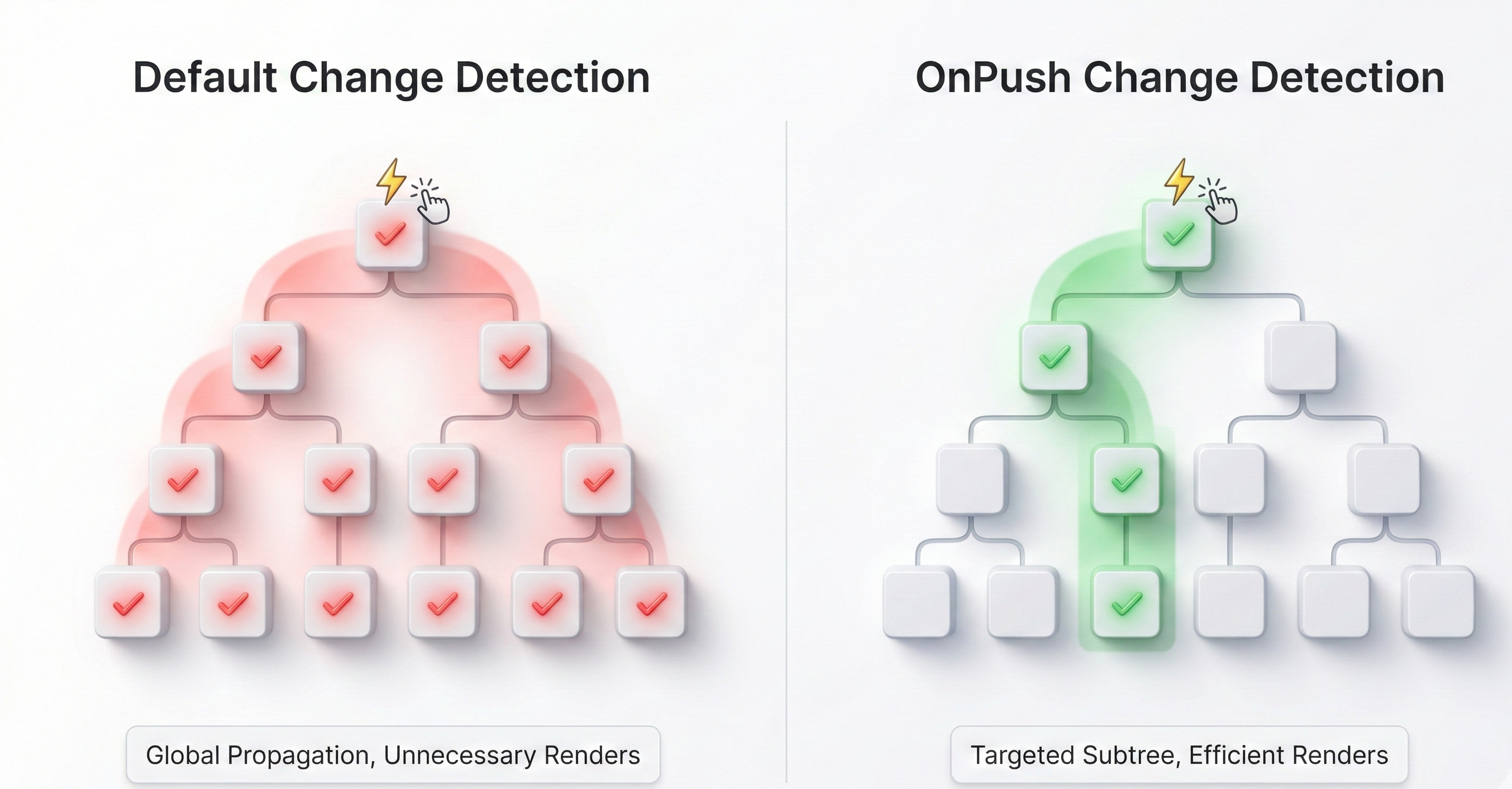
Before: nested NgModules. After: standalone components, explicit dependencies
2️⃣ ChangeDetection.OnPush: Limiting Scope
OnPush is the first real performance lever.
With OnPush, Angular no longer checks a component unless:
- →a new
@Input()arrives - →an
@Output()is emitted - →an Observable (async pipe) emits
- →a Signal changes
Result:
- ✓detection becomes local
- ✓unnecessary components are no longer recalculated
- ✓CPU cost drops drastically
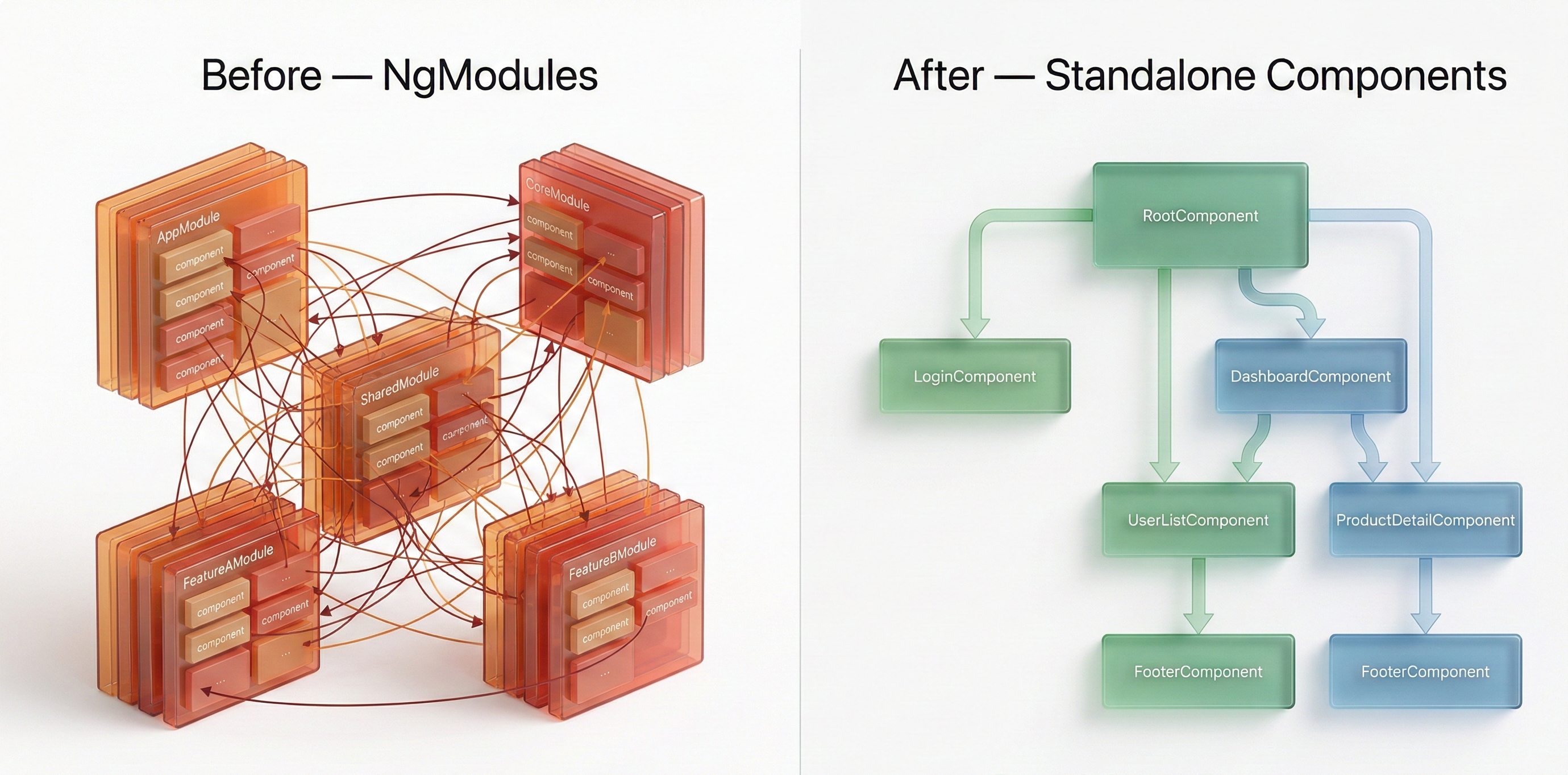
Default CD: event → entire tree. OnPush: event → targeted subtree
3️⃣ Signals: Making State Explicit and Traceable
Signals introduce a synchronous, targeted, and predictable state model.
Unlike BehaviorSubject:
- ✗no global RxJS chain
- ✗no implicit subscriptions
- ✗no cascade rerenders
The pattern becomes clear:
write() → compute() → render()Each component knows exactly:
- •what it consumes
- •when it updates
- •why it re-renders
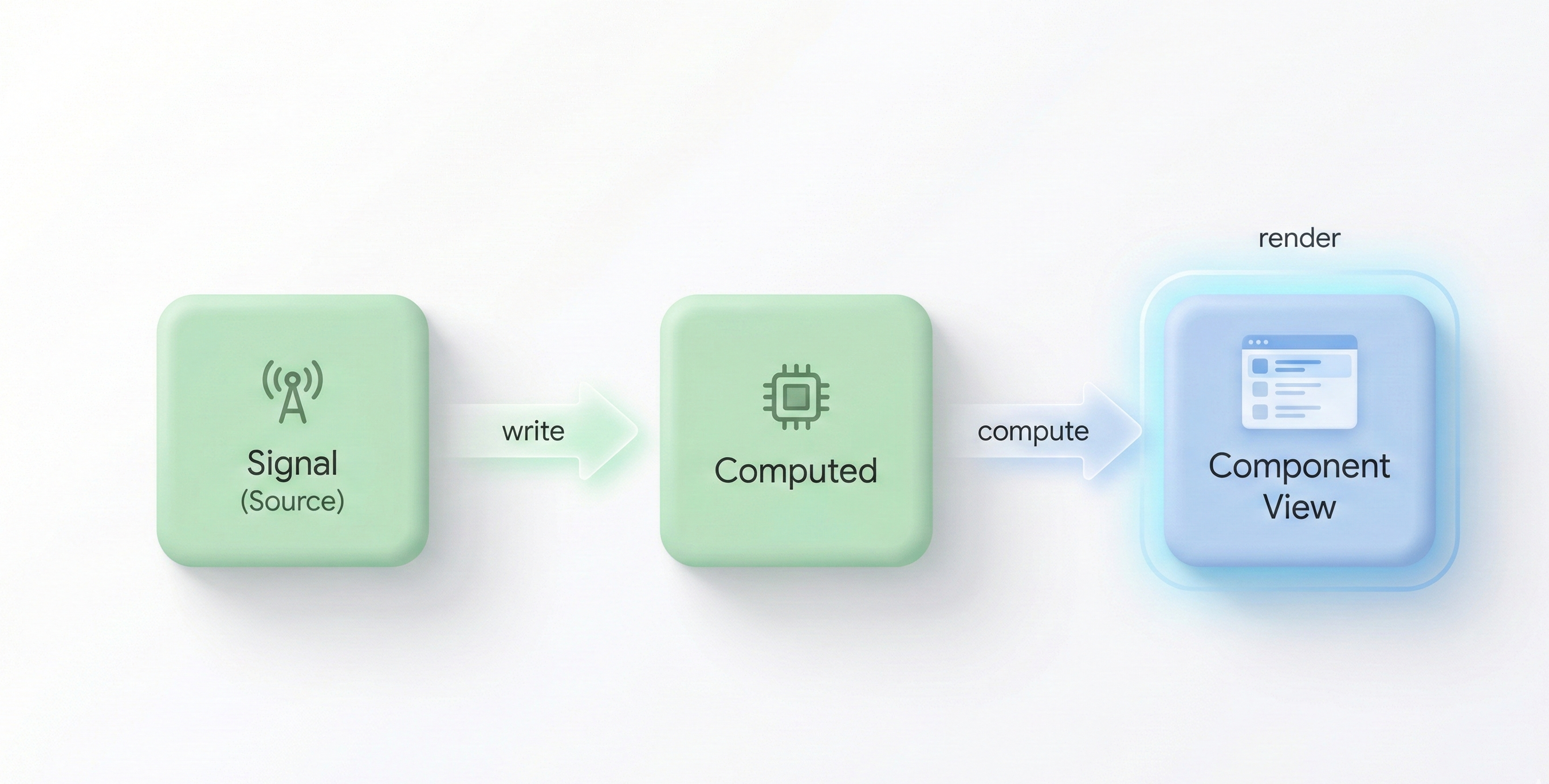
Signal → Computed → Component View (unidirectional, targeted flow)
The Winning Combination
It's the combination of all three that makes the difference:
Standalone Components
clear structure
OnPush
local detection
Signals
predictable state
Together, they enable:
- ✓avoiding unnecessary rerenders
- ✓stabilizing complex screens
- ✓improving flow readability
- ✓reducing CPU load
- ✓making the application more maintainable
Results Observed on Real Projects
On existing Angular applications, this approach often enables:
- ✓massive reduction in rerenders
- ✓smoother UI without touching the API
- ✓fewer state-related bugs
- ✓code that's simpler to reason about
- ✓more confident teams
And most importantly: performance stops being a permanent topic.
Conclusion
In 2025, on Angular:
Most performance issues don't come from the API. They come from a poorly managed change detection model.
Fixing this model changes everything:
Before optimizing the backend, you need to ensure the frontend:
- →doesn't do more work than necessary
- →precisely understands when the UI should change
Fix the change detection, and the rest of the app follows.
Written by
Youssef LAIDOUNI
Full Stack Engineer | Java • Angular • PHP | APIs, MVP, Performance & Automation